Everything you need to set up, use, and troubleshoot CraftyCNC plugins, wizards and touch probes in one place. If you can’t find an answer here, send me a message.
Jump to: Manuals & Guides | Video Tutorials | Troubleshooting | How-To Articles | Licensing & Support
Manuals & Guides
UCCNC plugins
- UCamCopy for UCCNC Manual: the full online user manual for the camera edge-tracing plugin, covering installation, camera setup, image detection, recording, and the DXF viewer. (UCamCopy page)
- ProbeIt for UCCNC Manual: the full online user manual for the ProbeIt touch-probe plugin. (ProbeIt for UCCNC page)
- XBox 360 Controller PRO Manual: the full online user manual for the controller pendant plugin. (XBox 360 Controller PRO page)
CamCopy for Mach3 and Mach4
- CamCopyM3 for Mach3 Manual: the full online user manual for the Mach3 camera edge-tracing program, covering installation, the Mach3 plugin, camera setup, image detection, recording, and the DXF viewer. (CamCopyM3 page)
- CamCopyM4 for Mach4 Manual: the full online user manual for the Mach4 camera edge-tracing program, covering installation, camera setup, image detection, recording, and the DXF viewer. (CamCopyM4 page)
ProbeIt for Mach3 and Mach4
- ProbeItM3 for Mach3 Manual: the full online user manual for the ProbeIt touch-probe program for Mach3, covering installation, probe setup, the probing routines, rotary axis probing, and the 3D viewer. (ProbeItM3 page)
- ProbeItM4 for Mach4 Manual: the full online user manual for the ProbeIt touch-probe program for Mach4, covering installation, probe setup, the probing routines, rotary axis probing, and the 3D viewer. (ProbeItM4 page)
Mach3 wizards
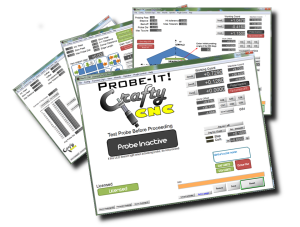
Probe-It! Mach3 Wizard Manual (the Mach3 version of ProbeIt):
- Works with any touch probe that is set up to activate the ‘probe’ input signal in Mach3.
- Generates standard DXF files (opens in any DXF-capable software) and standard CSV files (opens in Excel and similar programs).
- Tested to fully function with Mach3 using parallel port inputs and outputs. See Troubleshooting below if you use a motion controller device.
ProbeIt Turn Quickstart Guide: getting started with lathe probing in Mach3 (download on the ProbeIt Turn page).
ProbeIt Comparison: not sure which version you need (Mach3 wizard, UCCNC, Mach3 or Mach4)? Compare features side by side.
Touch probe
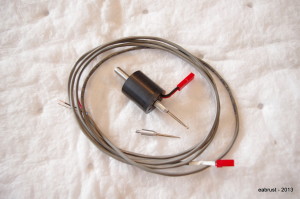
Touch Probe Manual:
- You must have one open physical ‘input’ on your machine’s computer/controller to use the probe. The probe functions as a normally closed switch. The breakout board or wiring configuration may provide an ‘active high’ or an ‘active low’ signal depending on how it is set up, so consult your breakout board or control documentation.
- Will work with G540, CNC4PC breakout boards, etc.
- Recommended to be connected to an opto-isolated input.
Video Tutorials
The Videos page has YouTube playlists covering:
- ProbeIt for Mach3
- Touch probe setup and use
- UCCNC plugins & UCamCopy (also applies to CamCopyM3 and CamCopyM4)
- ProbeIt for UCCNC: probe tips and how-tos
Troubleshooting
- XBox Plugin Troubleshooting: fixes for “loop error” and missing-plugin problems with the XBox 360 controller plugin for UCCNC (including pads that show “not in XInput mode”, and the SlimDX/DirectX setup needed by older versions).
- A UCCNC plugin doesn’t appear in UCCNC’s ‘Configure plugins’ list: UCamCopy and ProbeIt for UCCNC have separate builds for UCCNC 1.2115 and earlier and for 1.2116 and later. The wrong build will not run and will not be listed. Check that you installed the one that matches your UCCNC version.
- ProbeIt for Mach3 shows “scripter compiler” errors: ProbeIt requires Mach3 3.43.19 or later (3.43.66 recommended).
- ProbeIt for Mach3 won’t run with MachStdMill: the wizard isn’t compatible with the MachStdMill screenset from Calypso Ventures, because of conflicting use of DROs and LEDs. Set up a separate Mach3 profile that uses a standard screenset.
- ProbeItM3: rotary axis probing with a SmoothStepper. With Mach3, a SmoothStepper (ESS plug-in 2019_11_06 10w2a-10f1) is not supported for rotary axis probing: the plug-in did not carry out G31 probe moves on the rotary axis, and ProbeItM3 stops with a message. It was tested with a CNCDrive controller. ProbeItM4 rotary probing was tested with a CNCDrive controller and with a SmoothStepper (ESS plug-in version 320). Other controllers are untested; see the comparison.
- ProbeItM4 or CamCopyM4 reports that the library does not match (or error -17): point the program at your Mach4 folder with the /mach4dir switch (see the manual). Start Mach4 first and let it finish loading.
- Using a motion controller (SmoothStepper, KFlop, etc.)? Probing is handled within the motion controller device and coordinated with Mach3 by plugin software, and some setups have issues I can’t fully test or support. Test your setup fully with the free trial before buying a license.
How-To Articles
- General Probe Usage: finding bore centers, corners, edges, and perimeter tracing.
- Probe Calibration: What to Do: when and how to adjust the probe tip for runout.
- Introduction to Probe-It!: a video overview of the Mach3 probing wizard.
Licensing & Support
- How to Buy: UCCNC plugin licenses, the ProbeItM3/M4 and CamCopyM3/M4 programs, and the Mach3 ProbeIt wizards are sold in the store, with your license delivered automatically after payment. For UCCNC plugins, enter the SN_Lic from the plugin’s “About” tab at checkout. For the Mach3 and Mach4 programs, enter the License ID from the program’s About window.
- Terms & Refund Policy: what you are buying, license terms, and our no-refund policy.
- Contact CraftyCNC: questions, license problems, or anything not covered above.