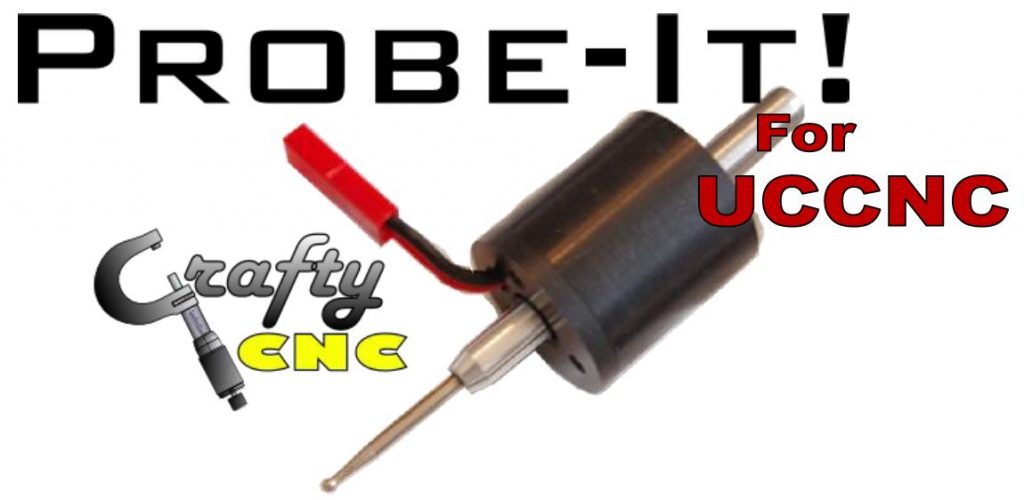
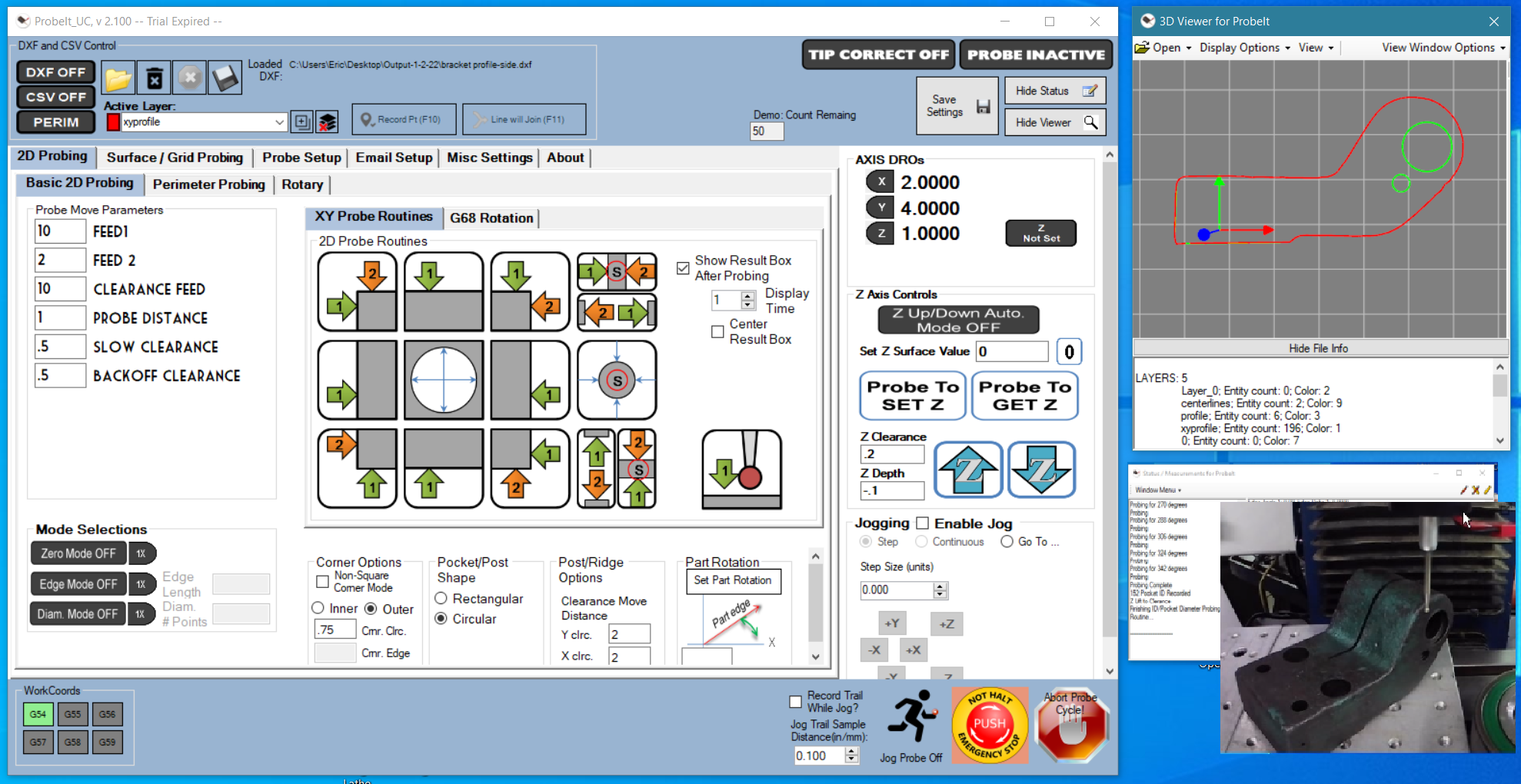
ProbeIt for UCCNC is a plugin written for UCCNC, based upon my existing Mach3 wizard. It provides the 2D perimeter tracing ability of ProbeIt for Mach3 in UCCNC, but is a total re-write of the software given the differences between Mach3 and UCCNC, and has grown to do a lot more. Thanks for your interest in checking it out.
Current version: v2.400 (UCCNC 1.2116 and later). For UCCNC 1.2115 and earlier: v2.203, the final release for those versions.
Features:
ProbeIt for UCCNC requires that you have a working touch probe connected to your machine and set up as an input to UCCNC. What does it do?
- Probe tip calibration (calibrates an effective tip diameter for every 10 degrees of direction, interpolates in between. Calibration covers backlash, probe pre-trigger, ball size, etc)
- Calibration tables cover a ‘normal’ and a ‘slow’ speed you determine, and results interpolate for any speed you probe at in between
- Perimeter probing in the X/Y plane (trace 2D profiles to DXF)
- Basic XY probing in the X/Y plane (bore, corner, side/edge, post, slot/ridge) w/ DXF & CSV recording
- X/Z and Y/Z surface tracing to a DXF & CSV
- Save data to DXF & CSV (DXF optimized for use and import by Vectric apps or Lightburn)
- Jog probing (save DXF/CSV data by jogging against a part, and by free jogging and tracing your path)
- Probe to set G68 rotation automatically against an edge
- Surface scan to point cloud w/ a modified ‘bed of nails’ routine that can be bounded by a defined perimeter
- Surface scan w/ 4th axis rotary, and basic 4th axis / rotary probe routines for setup
- GCode editor/viewer with scale, flip, rotate and mirror, and autolevel of GCode to a probed heightmap
- Can send an email during surface and perimeter probing scans to alert of a stoppage during long probe cycles
- Viewer for DXF/point cloud data, with control of DXF layers and colors, delete layers, add layers, etc
- Create text file logs w/ measurements, and a full online user manual
New in v2.400 (click to expand)
- New Windows installer, and a full online user manual
- Inch/metric defaults and a first-run units dialog
- Probe Settings, General Settings, Email Setup and About now open as pop-out windows
- Settings are saved safely, with automatic backups and a Restore option
- DXF/point-cloud viewer editing: selection, Box Select, Delete / Undo / Redo, Draw Line with snap, and Move to layer
- Viewer settings window and sliding side panels
- G-code editor: click-to-select and direction arrows
- More robust layers: names are kept unique (a damaged DXF with repeated layer names opens and is corrected), and an active layer is always selected for recording
- Windows snapped to the main window now move with it
- Performance: the 3D viewers only redraw when something changes (much lower idle CPU/GPU use), autoleveling large G-code files is faster, and big G-code files load in the background
- Viewer: click-to-select also works on STL model surfaces, with improved STL shading and a hover preview of what a click would pick
- Main window: the E-stop button flashes while E-stop is active, message boxes can no longer hide behind UCCNC, every control has a tooltip, and jog velocity boxes accept values up to 10000 for metric feed rates
- G-code editor: color picker for the selected-line highlight, and the leveler remembers its settings
- Fixes: DXF drawing could stop after the PC ran about 25 days, some circles and arcs disappeared, viewer colors could render black, and YZ surface probing was corrected
- The viewer code is shared with UCamCopy, so UCamCopy v2.400 gets the same viewer features
Things to watch for: Most of the probe routines are performed using UCCNC’s ‘Jog Safe Probing’, and are done as ‘jog moves’. A current limitation is that you cannot multi-task away from UCCNC, it must remain the program with ‘focus’ in windows, or probing/jogging stops. ProbeIt gracefully stops its probing routines if focus is lost.
See it in action:
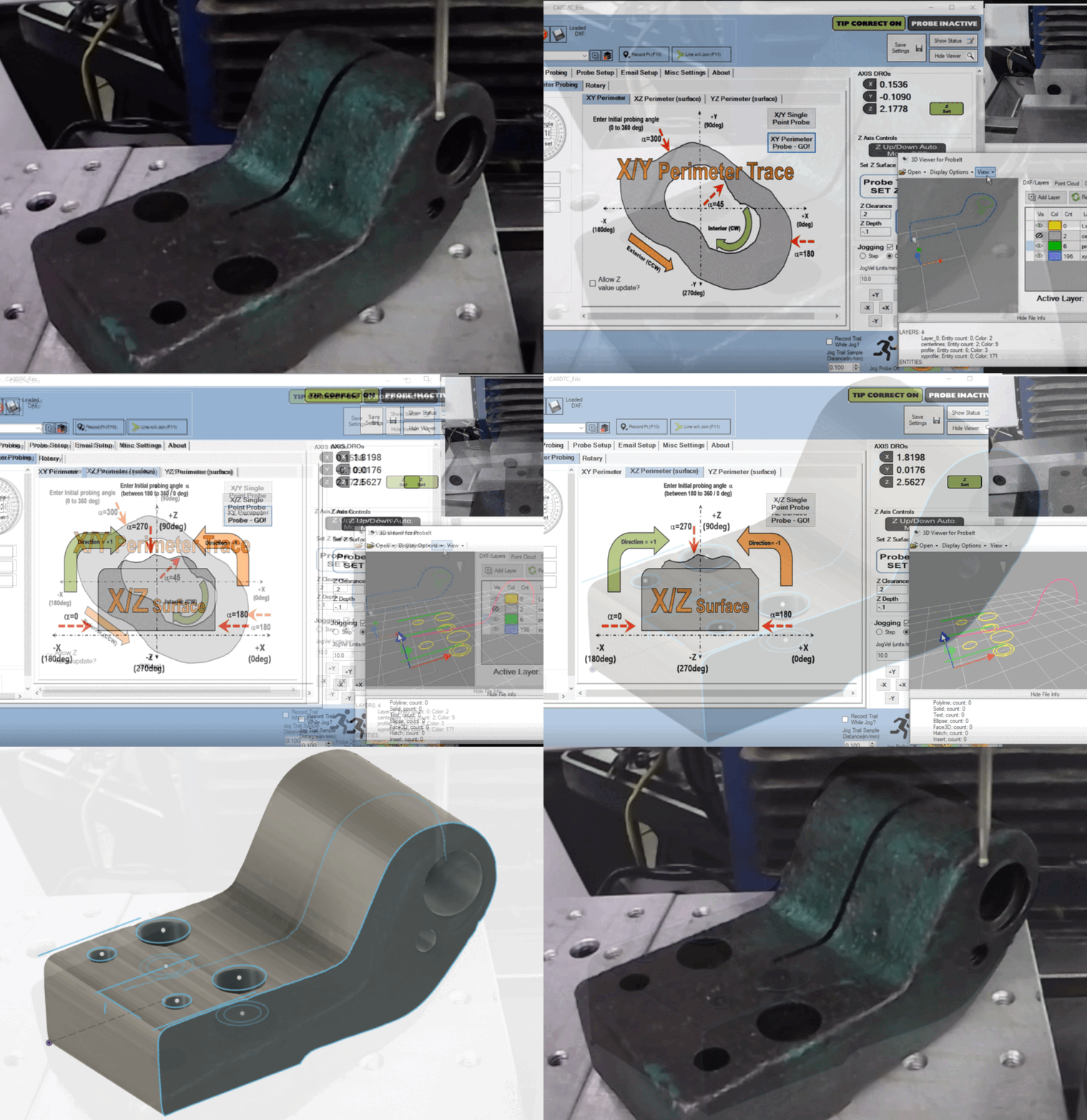
Take your parts into CAD with geometry data collected using ProbeIt!
DXFs directly importable to Fusion, VCarve, Lightburn, etc!
Alternately, collect data in CSV format and use in other ways.
Download here:
| For UCCNC 1.2115 and earlier | For UCCNC 1.2116 and later |
ProbeIt for UCCNC User Manual (online)
If you have the wrong version of ProbeIt installed for your version of UCCNC, ProbeIt will not run, and will not be found in the list of plugins to be enabled.
Purchase here:
ProbeIt for UCCNC is $30 for a license key. It is a fully functional demo, and may be licensed if you find it useful. The license is tied to your UC hardware serial number, but is otherwise able to be used on as many computers and machines as you wish, both for commercial and personal use. Once a license is purchased, the plugin will continue to work indefinitely, on any PC, without an internet connection, and future updates will not alter the licensing scheme.
All license sales are final. Because license codes are delivered instantly as digital goods, they are non-refundable, so please try the free demo first to make sure it suits your setup.
Want both plugins? The ProbeIt + UCamCopy combo license is $50 and gives you both license codes from one SN_Lic.
Requirements
UCCNC must be fully licensed and linked to a CNCDrive controller, and you need a working touch probe connected to your machine and set up as an input to UCCNC. As with any software, by downloading and evaluating this plugin you agree to assume the risk/liability of testing it on your machine. I’ve made every attempt to catch all bugs and errors, but if you find an issue please contact me and let me know, so that I can continue to improve the plugin. Bug fixes come first, then enhancements and new features, as time allows and based on feedback from users.
Versions
Previous versions (click to expand)
Need an earlier release? Most people should use the current versions above. Earlier releases are kept here:
For UCCNC 1.2116 and later:
For UCCNC 1.2115 and earlier:
Version History (click to expand)
V2.400: 10/12/2026
For UCCNC 1.2116 and later only. UCCNC 1.2115 and earlier users stay on V2.203, the final release for those versions; they can update UCCNC to stay current.
– New Windows installer and full online HTML user manual
– Inch/metric defaults and a first-run units dialog
– Probe Settings, General Settings, Email Setup and About now open as pop-out windows
– Settings saved safely, with backups and Restore
– Viewer: selection, Delete / Undo / Redo, Box Select, Draw Line with snap, Move to layer
– Viewer settings window and sliding side panels
– G-code editor: click-to-select and direction arrows
– Layer names kept unique (a damaged DXF with repeated layer names opens and is corrected, and Save refuses to write one)
– An active layer is always selected for recording
– Windows snapped to the main window move with it
– Performance: 3D viewers only redraw when something changes (much lower idle CPU/GPU use); faster autoleveling of large G-code files; large G-code files load in the background
– Viewer: click-to-select on STL model surfaces, improved STL shading, hover preview of what a click would pick
– Main window: E-stop button flashes while E-stop is active; message and input boxes always open on top of UCCNC; tooltips for every control; jog, go-to and rotary velocity boxes accept values up to 10000 for metric feed rates
– G-code editor: color picker for the selected-line highlight; the leveler remembers its settings
– Bugfixes: DXF drawing could stop after the PC ran about 25 days; some circles/arcs disappeared and arcs crossing 0 degrees drew incorrectly; viewer colors could render black; YZ surface probing fixes
– The viewer code is shared with UCamCopy, which gets the same viewer features
V2.203 & V2.300: 11/30/23
ProbeIt V 2.203 is for UCCNC versions 1.2115 and prior
ProbeIt V 2.300 is for UCCNC versions 1.2116 and later
ProbeIt V 2.203 and V2.300 are functionally equivalent and share the same updates and features, with the only difference being which version of UCCNC they will run with. If you have the wrong version of ProbeIt installed for your version of UCCNC, ProbeIt will not run, and will not be found in the list of plugins to be enabled.
NOTE: This is a dual release to support versions of UCCNC at 2.2116 and later, as well as versions of UCCNC 2.2115 and prior. Changes in UCCNC versions 2.2116 relative to the version of OpenTK (graphics) made ProbeIt incompatible unless the newer version of OpenTK (3.3.2) was referenced. Going forwards, versions of ProbeIt in the version 2.2xx range will be for UCCNC 2.2115 and prior, and versions of ProbeIt greater than 2.3xx will be for UCCNC 2.2116 and later. Dual support may be ended at a later time, to focus efforts on a single version for the most up to date UCCNC versions.
Updates and new features:
– Check if forms are off screen, and ensure they show on screen
– Fix view form probe active error (exception for image on startup of ProbeIt)
– Fix ‘drawArc’ issue in DXF drawing
– On stuck probe during perimeter probing, add option to not immediately fault (pause till hit OK)
– Gcode scale/convert: feedrate conversion – control decimal places
– Gcode scale/convert: fix probe tip check for interpolating speed (error if not calibrated for two speeds, but interpolate was checked)
– Bug fix ‘perimeter routines’ to not hang after reaching max point count
– Bug fix: dxf layer pulldown/color issue (saving layer that may not be there on restart)
– Feature add: view form remembers state of DRO/Layer flyout panels
– Updated viewer to match the Gcode editor pan/zoom/rotate functionality
– Added snap to view functionality to DXF viewer
V2.202: 3/26/23
Bugfixes only, no new features:
– Fixed issue w/ ‘JogProbing’ which caused program to freeze
– Minor changes/fixes in ‘JogProbing’ to improve data recording to DXF and CSV
– Made the ‘JogProbing’ options for breadcrumb lines and connecting points w/ lines show/hide on main screen as ‘JogProbing’ is enabled/disabled
V2.201: 2/26/2022
– Bugfixes, installer was missing some images for button backgrounds – fixed
– Improvements made to Autoleveler form for creation of grid on large dimension files with metric dimensions (prevent creation of excessive number of grid points which caused a crash)
– Improved creation of grid generation and adjustability
V2.200: 2/26/2022
– Addition of a GCode Editor/viewer on a newly added tab: view/play Gcode file; scale, flip, rotate, mirror the GCode; manually edit GCode and view changes; probe a surface to a ‘heightmap’, and ‘Autolevel’ the GCode to the heightmap surface; save modified GCode to file and/or import to UCCNC
– Bugfixes: issues w/ color picker on main page; issue w/ part rotation apply button on main page; changes to the online check for new version to fully disable it via user setting; issue w/ ‘Edge Mode’, added a timing delay to fix nuisance skips, fixed messagebox warning for negative edge length entry; double check on SafeZ vs Z start point on 3d probing surface routines, asks to change SafeZ to Z start if Z start is higher
– Updates to user interface and cleanup work: buttons now ‘autosize’ on the main probing pages; added a ‘show’ and ‘hide’ feature for left panel of probing settings; re-organized location of DXF/CSV controls; updated XML settings file reading
V2.100: 1/2/2022
Changes:
– Screen image/design updates to improve look and operation
– Images for buttons, LEDs, etc brought external to folder, to be user changeable
– Dual speed calibration tables, w/ interpolation when probing at speeds in between calibrated values
– Check online for new version available (if internet connection available)
– New ‘pop up’ probe result box with auto close
– Color formatting for status and result box text
– Pocket and post modified to repeat X direction after Y for circular features (get correct X measurement without repeating probing)
– Added limit switches to fault checks to abort probe routines
– Added loss of focus to fault checks for abort, probing now gracefully halts if UCCNC or ProbeIt lose focus
– Simple z probe routine/button added to 2D probing screen
– Added controls for DXF layer (add, delete, color) to main screen
Bugfixes:
– Correction made to probe tip correction calculations
– Corrections to the ‘Go To’ location and 0 buttons
– Corrections to DXF layers when opening/closing files, clearing data
V2.010: 2/24/2021
– 4th Axis support, including 4th axis probe routines for setting rotation angle, finding centerline of rotary, measuring runout/roundness of an item on a rotary axis, and ‘point cloud’ generation
– Viewer updated to show ‘rotary’ axis point cloud data, w/ rotary axis indicator
– New Status & Measurement box: status info can be sent to ProbeIt’s own status window instead of the UCCNC status window; measurement data can be collected into a report like format in the new window and saved to txt file, emailed, or copied to clipboard
– Added secondary calibration routine, which determines ‘offset’ when the probe tip is not concentric to the shank
– Bugfixes – mostly related to the surface probing routines
V2.000: 1/10/2021
– New Viewer based upon OpenTK, used to view DXF data, point clouds, and perimeters/grids in surface probing
– Control of Layers and colors in DXF. Create/rename/delete & change colors
– NetDXF.dll no longer required (library modified and built into ProbeIt)
– DXF files optimized for VCarve or Lightburn. Opens files exported from those programs, and saves files they open
– Improvements to the ‘surface probing’ routines. Probed point clouds are now shown in the 3D viewer
– Jog Probing now has a mode to record ‘trail’, jog around freehand and record to DXF
– Many ‘under the hood’ fixes, resulting in lower CPU usage, bug fixes, etc
– Can set a custom ‘button code’ number to open the plugin via hotkey or user button
V1.013: 12/12/2020 – Bug Fix, error in ‘set z surface’ function, was crunching probes when used with secondary slow feed and in certain changes in heights.
V1.012: 12/7/2020 – Bug Fix, G68 routine had error check that would not clear.
V1.011: 9/6/2020
– Added new corner routines: Inside corner, Angled Inside corner, Angled outside corner
– Bug fixes, most have to do with 3D viewer
– Modified calibration routine to use the ring gauge ID as the ‘probe distance’
V1.010: 4/10/2020
– Minor updates to 3D viewer, viewer now displays probe tip position real time. 3D viewer is now shared w/ UCamCopy plugin, and both plugins will receive updates at same time when viewer updates are made
– Plugin is now provided in a self-installing zip.exe file, just point it at the uccnc folder you want to install in
– Added ability to load ‘default’ values for inch or mm on the settings page. Please verify, change, and save settings to suit your machine
– A number of bug fixes (issue w/ post routine, issues with tabs displaying properly on load)
V1.005: 3/27/2020
– Increased DEMO trial limit to 60 days, increased amount of recordable data while in demo mode
– Added 3D viewer window (thanks to Jason Titcomb for providing source on CodeProject)
– Ability to open numerous DXFs, preview, and merge/append probed data to them
– Changes to Z surface/depth setting, allows + / – probe z depth now
– Made button graphics change with settings such as edge, diameter, rectangle/round modes
V1.002: 3/22/2020 – No functional changes. Made edits to the form/controls to try and correct display issues that were noted when windows screen font scaling was on.
V1.001: 3/15/2020 – Added XZ and YZ profile tracing routines. Added ability to open existing DXF files (so you can append additional data to it).
V1.000: 3/8/2020 – Initial Demo Release. Contained only XY probing routines, as well as ‘probecloud’ surface scan.